I’ve tested a fair number of gaming keyboards over the years, and most “premium” claims fall apart the moment you pick the thing up — plastic case, hollow sound, RGB doing all the heavy lifting. The PIIFOX FORX Defender68 HE Pro is one of the few boards in recent memory where the premium claim actually survives first contact. This is PIIFOX’s flagship magnetic switch keyboard, and after spending real time with it — gaming, writing, and just living with it on my desk — here’s my honest take on where it earns that flagship label, and where it doesn’t quite.
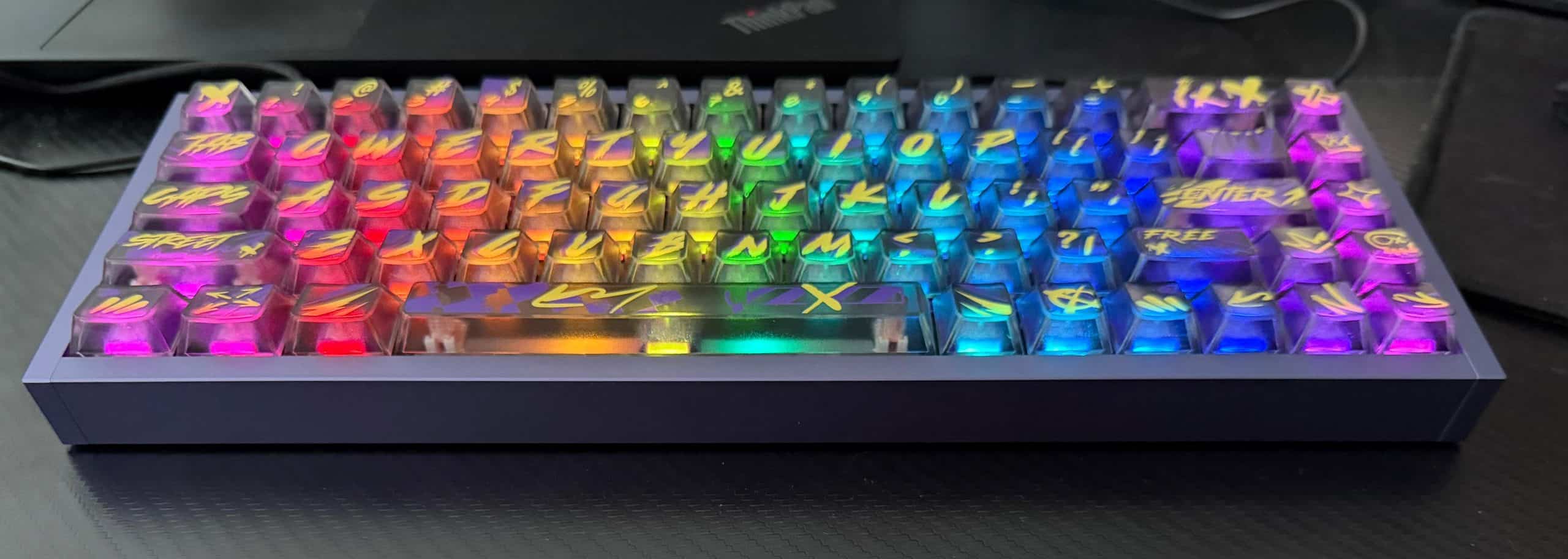
First Impressions: It’s Heavier Than You Expect (In a Good Way)
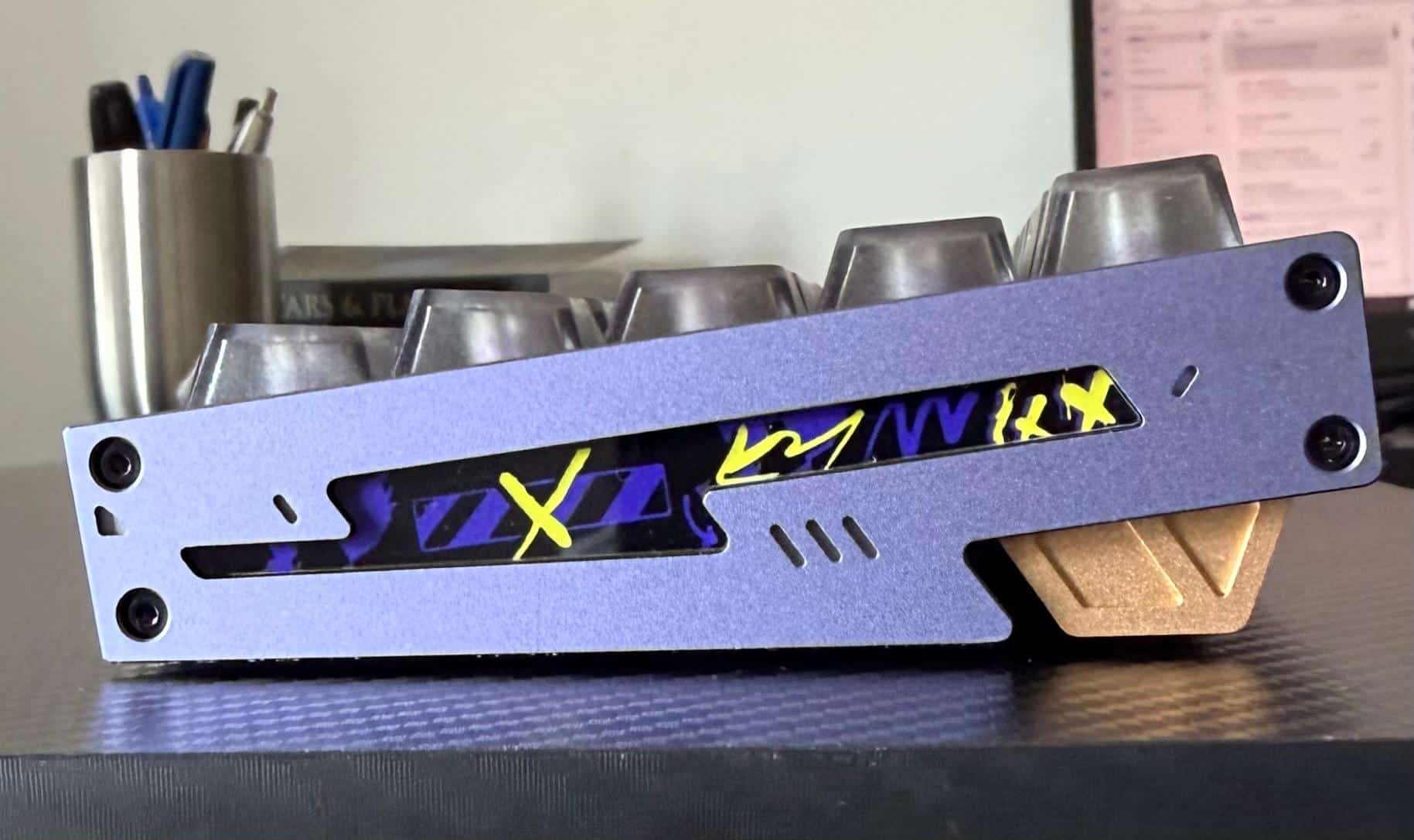
The first thing you notice pulling the Defender68 HE Pro out of the box is the weight. The chassis is precision-milled from a solid block of aluminum, not the stamped or cast aluminum-look housing a lot of “premium” boards use as a marketing shortcut. It sits on a desk with real substance — no sliding around mid-match, no hollow rattle when you set it down. Pop the case open, and there’s a carbon fiber plate underneath, which is a genuinely unusual inclusion at this level and part of why the keyboard sounds tighter and more controlled than most aluminum boards, rather than pingy or metallic.
If you’ve been eyeing PIIFOX’s full keyboard lineup, the Defender68 sits at the top of their FORX series specifically because of this build — it’s the CNC-aluminum-and-carbon-fiber combination that the rest of the range doesn’t offer.
The Actual Point: Hall Effect Magnetic Switches
Here’s where this keyboard stops being just a nice-looking aluminum box and starts being a genuinely different typing and gaming tool. The Defender68 HE Pro uses Hall Effect magnetic switches instead of traditional mechanical ones. Rather than two metal contacts physically touching to register a keypress, the switch detects a magnet moving through a changing magnetic field — which means no physical contact, no debounce delay, and a switch that, in theory, should outlast a standard mechanical switch by a wide margin.
In practical terms, that translates to:
- Adjustable actuation from 0.01mm to 3.5mm — you can set exactly how far you need to press a key before it registers, per key, rather than accepting one fixed actuation point for the whole board.
- Rapid Trigger support — keys reset the instant they start traveling back up and re-actuate the instant they start traveling back down, rather than waiting for a full release. In games like Valorant or CS2, this is the difference between a strafe correction landing instantly and landing a fraction of a second late — and at a competitive level, that fraction matters.
- 8000Hz polling with a 128K scanning rate, which PIIFOX rates at roughly 0.125ms of latency. On paper, that’s about as close to “the keyboard isn’t the bottleneck anymore” as current tech gets.
I’ll be honest — for regular typing and browsing, you will not consciously feel the difference between this and a good mechanical board. Where it actually shows up is in fast, precise, repeated inputs: competitive shooters, rhythm games, anything where you’re making split-second directional corrections. If that’s not your genre, you’re paying for headroom you won’t use daily — which is worth knowing before you buy.
Typing Feel and Sound
This is a magnetic switch board, so don’t expect the tactile “bump” of a Cherry MX Brown or the heavy clack of a Blue. It’s linear by nature — smooth, consistent, and fast. Combined with the carbon fiber plate and what PIIFOX calls tuned internal filling (essentially dampening foam to control resonance), the sound signature lands closer to a deep, muted thock than the sharp, hollow clatter you get on cheaper aluminum boards. It’s a satisfying board to type on for long sessions, even outside of gaming.
Build Quality, Extras, and the One Thing to Know Before Buying
A few details worth flagging for anyone comparing options:
- Hot-swappable, but with a catch. The PCB is purpose-built for Hall Effect sensors and doesn’t have traditional switch pin sockets — so you can swap switches, but only with other magnetic/Hall Effect switches, not standard mechanical ones. If you have a drawer of MX-style switches from another board, they won’t work here.
- IP-rated and genuinely spill-resistant, which matters more than it sounds like on a board this expensive.
- In the box: the keyboard itself, a Type-C cable, a keycap puller, a switch puller, and a manual — a complete starter kit, no separate purchases needed to get going on day one.
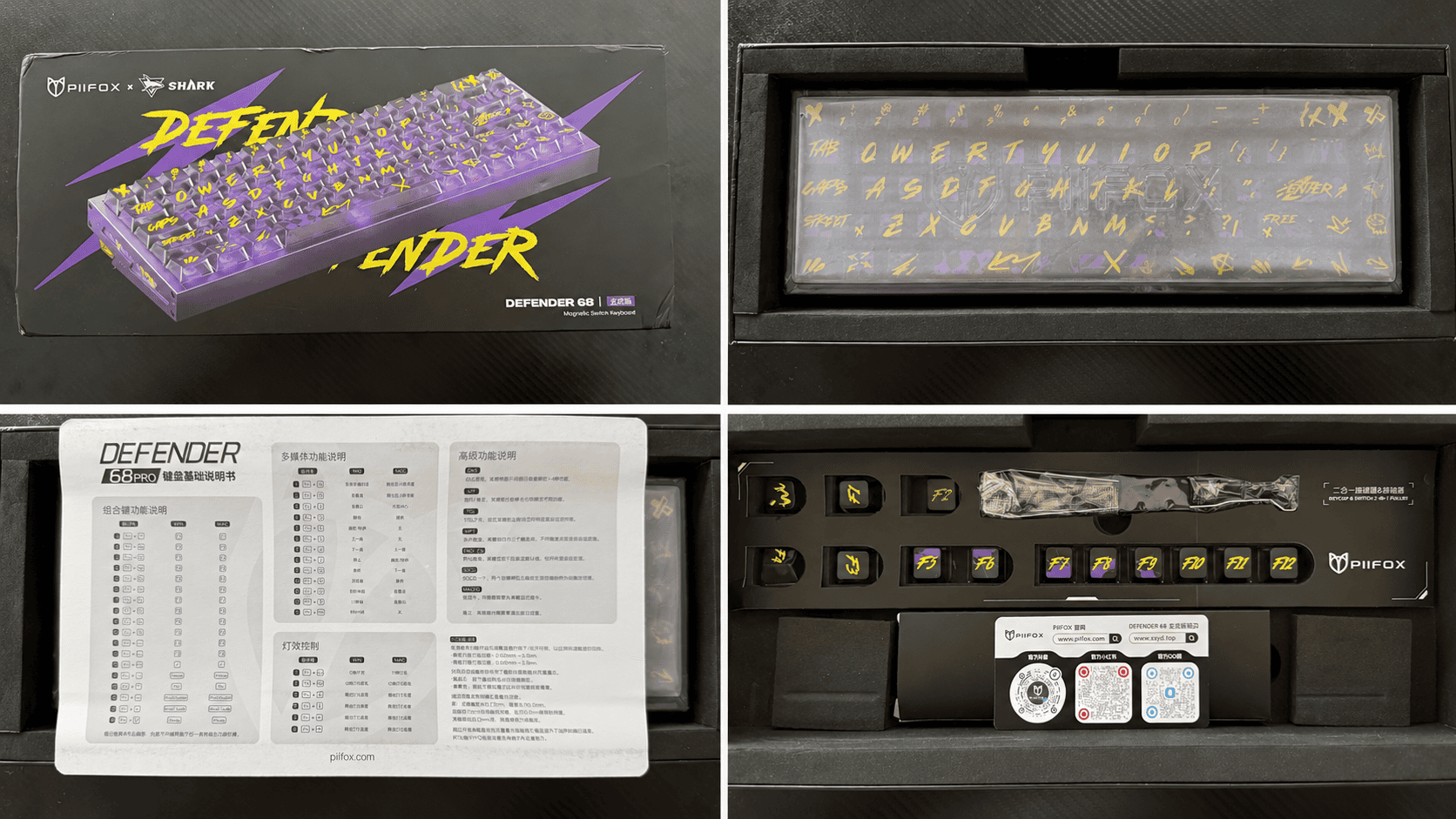
Worth noting too: The hot-swap socket design means that, in the rare case a switch needs to be replaced, you don’t have to send the whole board in for repair or deal with downtime. PIIFOX includes spare switches and a switch puller in the box, allowing users to simply pull out the switch and replace it in just a few minutes. No soldering iron, no technician, no complicated repair process — just a practical advantage for a keyboard designed for long-term daily use.
Who This Keyboard Is Actually For
This isn’t a board for everyone, and I don’t think it’s trying to be.
Get it if: you’re a competitive or semi-competitive gamer who wants adjustable actuation and Rapid Trigger, you care about desk aesthetics and build quality as much as function, or you just want a keyboard that’s going to physically outlast several “budget premium” boards you’ve probably already burned through.
Skip it if: you’re a casual typist or gamer who won’t use per-key actuation tuning, or you want a tactile/clicky switch feel — this is a linear-only experience by design.
Final Verdict
The PIIFOX FORX Defender68 HE Pro is one of the more convincing arguments I’ve encountered for why magnetic switches are becoming the new standard in serious gaming keyboards, not just a gimmick. The aluminum-and-carbon-fiber build alone would justify a premium price; the fact that it’s paired with genuinely competitive-grade switch technology underneath makes it a legitimately strong flagship rather than just a good-looking one. It won’t make sense for a casual desk, but if you’re the kind of person this article’s title made you click on, it’s very likely built for you.
You can check current pricing and configurations on the FORX Defender68 HE Pro product page.



Share Your Views: