If you’ve noticed the phrase “agentic AI” popping up everywhere lately — in your LinkedIn feed, in vendor pitches, in tech news — you’re not imagining it. It’s the term dominating AI conversations in 2026, and unlike some buzzwords, this one describes a genuine shift in what these tools can do. Here’s what it actually means, why it’s different from the chatbot you’re used to, and how to start using it without falling for the hype.
What “Agentic AI” Actually Means
A regular AI chatbot is reactive: you ask a question, it answers, and the conversation ends there. It doesn’t verify its own work, and it doesn’t have any practical applications beyond generating text.
Agentic AI is built to do something more: given a goal, it plans out the steps needed to reach it, uses external tools (files, browsers, APIs, code) to carry those steps out, checks the results, and adjusts its approach — repeating that loop until the task is actually finished, not just described. IBM’s explanation of agentic AI architecture
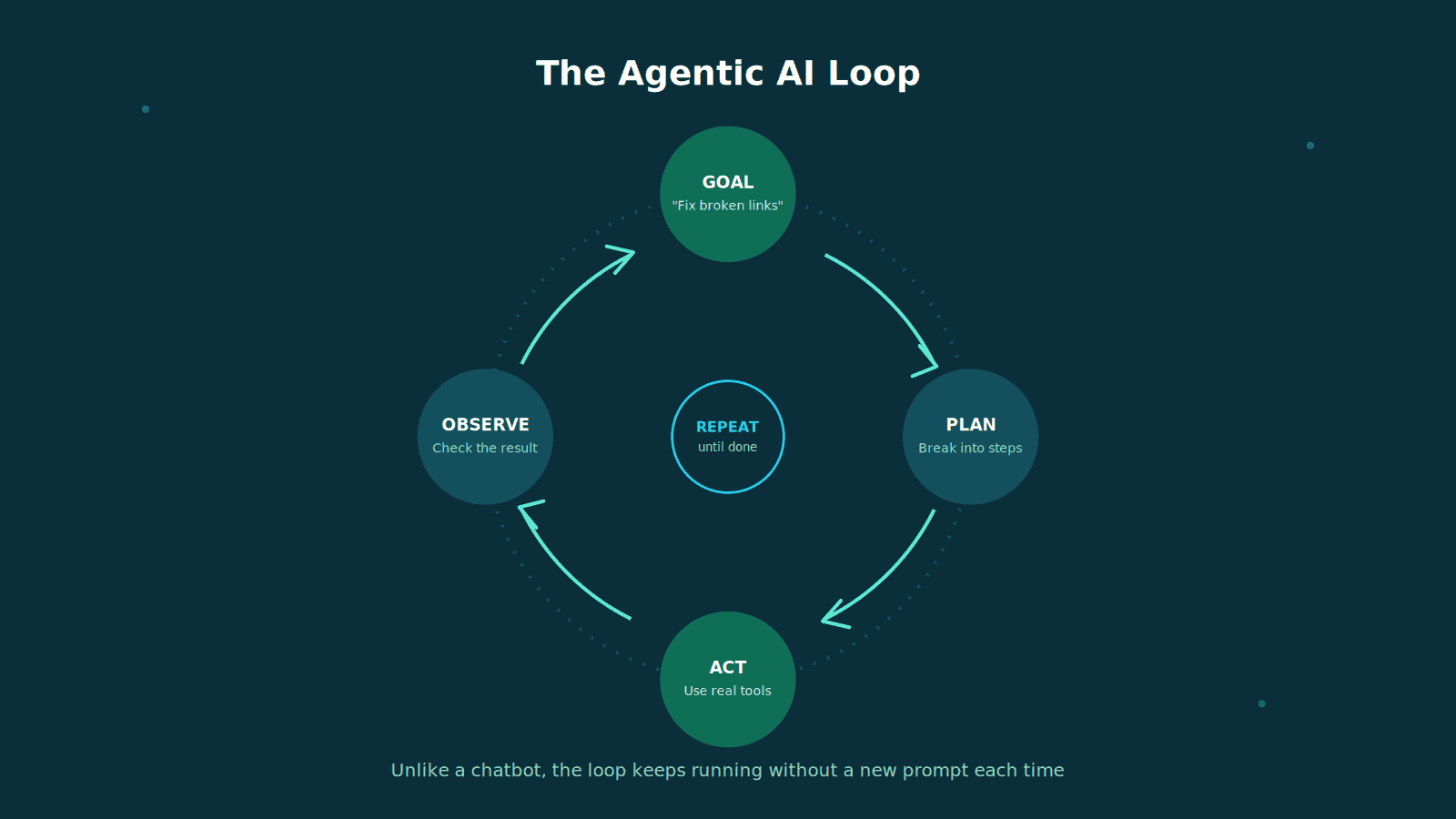
A simple way to think about the difference: a chatbot will tell you how to reorganize your file system. An agentic tool will go and do it, then report back on what it changed.
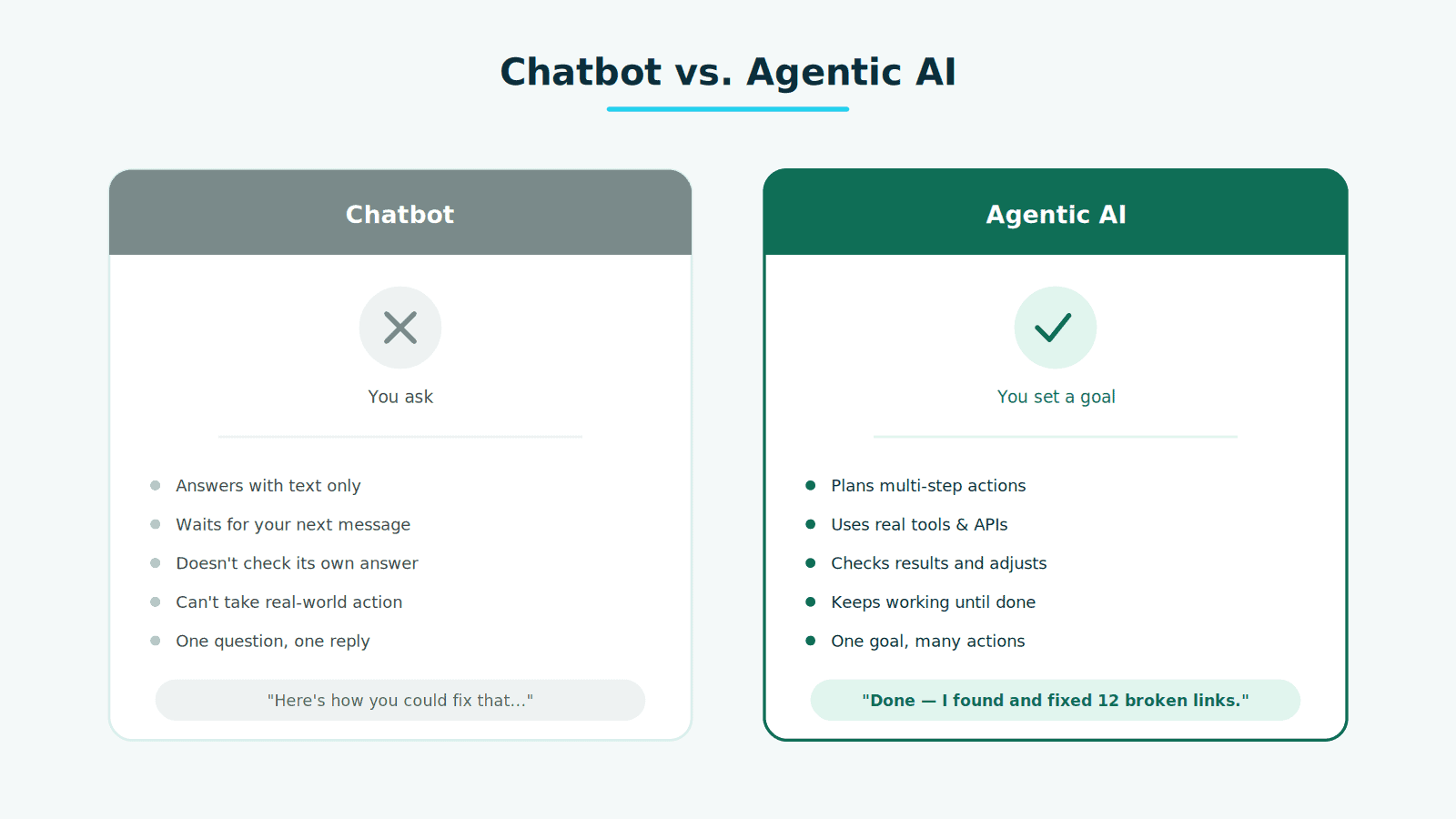
It’s worth noting agenticness isn’t really a yes/no label — it’s a spectrum. Some tools require a small, well-supervised action (such as drafting an email for your approval); others run multi-step workflows across several apps with minimal check-ins. The more autonomy a tool has, the more useful it becomes — and the more it matters that it has proper guardrails.
Why Everyone’s Talking About It Right Now
A few things are converging at once:
- It’s moved out of the demo phase. Agentic AI is now handling production work — not just proof-of-concept videos. Coding assistants are shipping real code, research agents are scanning literature at scale, and support agents are resolving tickets end-to-end.
- The market is scaling fast. 40% of enterprise applications will include integrated AI agents by the end of 2026. Analysts tracking the space describe the agentic AI market growing roughly eighteen-fold over the next several years, with a large share of enterprise software expected to include task-specific agents by the end of this year.
- It’s genuinely useful for small teams, too. You don’t need an enterprise budget to benefit. A solo blogger, freelancer, or small IT shop can use the same underlying tools as a Fortune 500 company — the barrier to entry has dropped that much.
What This Looks Like in Practice
Rather than abstract theory, here’s where agentic AI already shows up in real workflows:
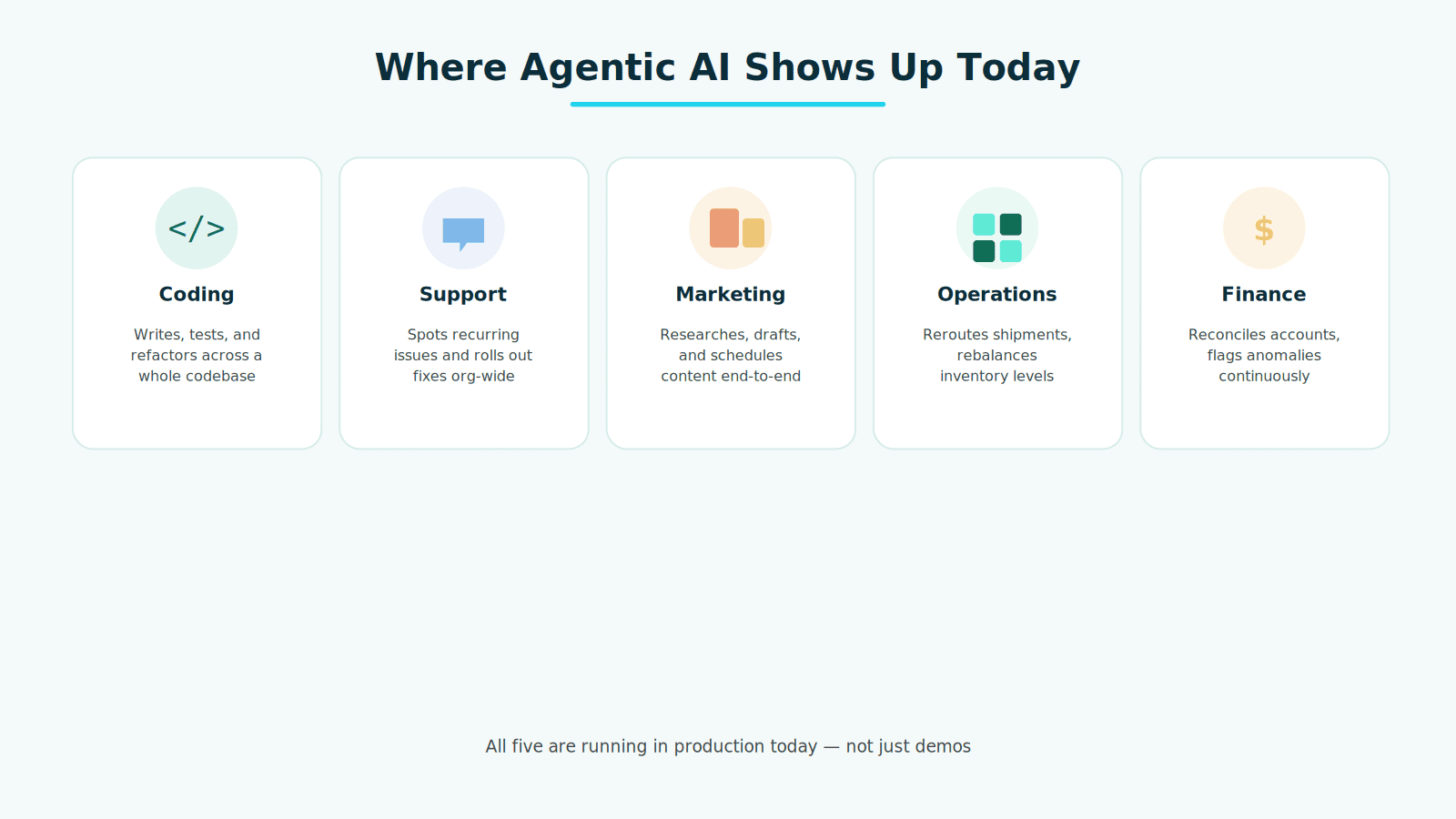
- Coding — tools like GitHub Copilot’s agent mode and Cursor can now write, test, debug, and refactor across an entire codebase, not just autocomplete a single line.
- Customer support — instead of just answering FAQs, agentic support tools identify recurring problems, propose fixes, and roll changes out across a whole support system.
- Content and marketing workflows — a single instruction can trigger a chain of research, drafting, and formatting steps that used to require several separate tools and manual handoffs.
- Operations and logistics — agents can reroute shipments around a weather disruption or rebalance inventory across warehouses without someone manually working through every decision.
- Finance and compliance — some institutions now use agents to reconcile accounts and flag anomalies continuously, instead of running that process only at audit time.
How to Actually Start Using It (Without Overcomplicating Things)
You don’t need to build a custom multi-agent system to benefit from this shift. A realistic on-ramp looks like this:
- Start with a task you already do the same way every time. Repetitive, well-defined tasks — renaming and organizing files, drafting first-pass replies to common questions, checking a website’s broken links — are the safest place to hand over real autonomy.
- Use tools you likely already have access to. Claude, ChatGPT, and GitHub Copilot all now offer agent-style modes that go beyond simple chat, and most integrate with tools you’re already using rather than requiring a new platform.
- Keep a human in the loop at first. Reputable agentic tools include permission settings, dry-run modes, and approval steps before anything irreversible happens — use them. Treat full autonomy as something you graduate into, not a default setting.
- Watch what it does, not just what it says. The real test of an agentic tool isn’t how confident its explanation sounds — it’s whether the actual output (the code, the file changes, the sent email) is correct. Review the work, especially early on.
- Scale up gradually. Once a tool has proven itself on a low-stakes task, expand its permissions incrementally rather than jumping straight to full automation.
The Part Most Coverage Skips: Risk and Guardrails
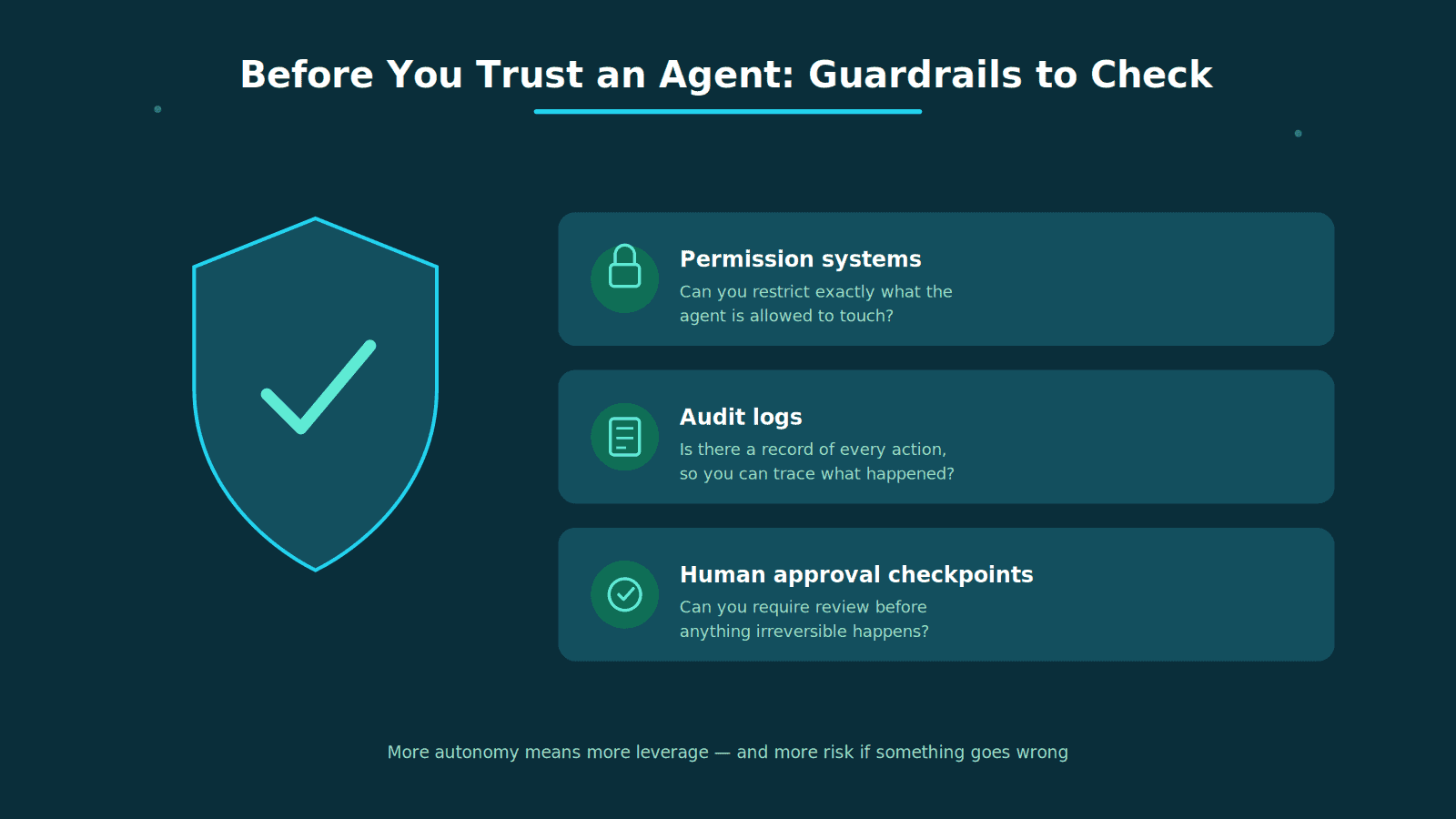
More autonomy means more leverage — and more risk if something goes wrong. If you’re evaluating agentic tools for real use, it’s worth checking for a few specific things before adopting one:
- Permission systems — can you restrict exactly what the agent is allowed to touch?
- Audit logs — is there a record of every action it took, so you can trace back what happened if something breaks?
- Human approval checkpoints — can you require a review step before anything sensitive (sending an email, deleting a file, making a purchase) actually executes?
Tools without these features aren’t necessarily bad, but they demand a lot more trust — and a lot more manual double-checking — than ones that build safety in from the start.
The Bottom Line
Agentic AI is one of those rare tech buzzwords that’s actually earned its hype — not because it’s magic, but because it closes the gap between “AI that talks about doing things” and “AI that does them.” The tools are accessible today, the barrier to trying them is lower than most people assume, and the smartest way in isn’t to automate everything at once — it’s to hand over one small, repeatable task, watch how it performs, and build trust from there.





Share Your Views: