
We all have heard about Chrome extensions which help in enhancing the productivity at work. Gmail has also added some great … [Read more...]
How to Open PDF file Directly in Acrobat Reader in Chrome

If you search and then open a pdf page in the Google Chrome browser, by default it opens in the browser itself. In case you … [Read more...]
What is Quick Charge and How is it Different from Dash Charge

With so many battery hungry apps running on smartphones, all we need is a quick charge to revive our exhausted phones. … [Read more...]
How to Send Large Files through Gmail with Google Drive

With high-definition devices in place, you may need to share the images that run into Gigabytes. Send these images or other … [Read more...]
How to Map a Network Drive in Windows 10

Mapping a Network drive simply means creating a shortcut of a network drive or a folder on your local system. This shortcut … [Read more...]
How to Choose the Best Cloud Security Service Provider

In the current age of cloud computing, fast data accessibility irrespective of place and time is possible. However, the … [Read more...]
Stellar Phoenix Windows Data Recovery Professional Review with Ratings

A tech guy like me, relying on different gadgets for professional and personal tasks, needs to have some reliable data … [Read more...]
How to Change Default Search Engine in Chrome, Firefox, Safari and Opera

Every search engine has its own search algorithm and depending on users’ personal preferences and experiences, they can … [Read more...]
How to Clean Laptop Screen Safely
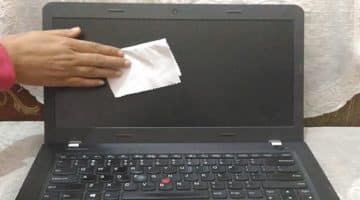
Cleaning a laptop screen seems to be a simple task but doing it in the wrong way can damage it beyond repair. Whatever … [Read more...]
How to Install Fonts in Windows 10

Windows 10 comes with a number of pre-installed fonts but yet you need to install fonts to meet your specific text or print … [Read more...]
- « Previous Page
- 1
- …
- 129
- 130
- 131
- 132
- 133
- …
- 149
- Next Page »