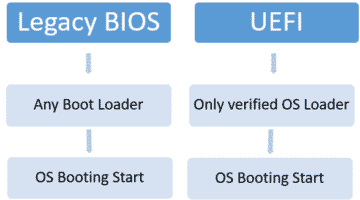
Secure boot as the name suggests is booting from the operating system in a more secure way. Secure Boot is possible only if … [Read more...]
How to Change the Boot Order in UEFI BIOS in Windows
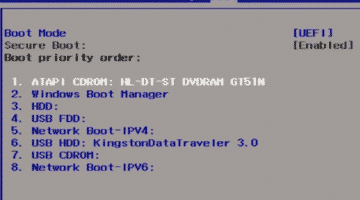
In legacy BIOS (Basic Input Output System) systems, you need to press some special keys like Del, F2, or F1 to enter the BIOS … [Read more...]
8 Best Laptops for AutoCad, 3D Modeling, and other CAD Works in 2025

Introduction to Laptops for AutoCAD and 3D Modeling Here, I have shortlisted the 8 best laptops for AutoCAD and 3D … [Read more...]
How to Increase Productivity by Installing Gmail Add-ons

We all have heard about Chrome extensions which help in enhancing the productivity at work. Gmail has also added some great … [Read more...]
How to Open PDF file Directly in Acrobat Reader in Chrome
If you search and then open a pdf page in the Google Chrome browser, by default it opens in the browser itself. In case you … [Read more...]
What is Quick Charge and How is it Different from Dash Charge

With so many battery hungry apps running on smartphones, all we need is a quick charge to revive our exhausted phones. … [Read more...]
How to Send Large Files through Gmail with Google Drive

With high-definition devices in place, you may need to share the images that run into Gigabytes. Send these images or other … [Read more...]
How to Map a Network Drive in Windows 10

Mapping a Network drive simply means creating a shortcut of a network drive or a folder on your local system. This shortcut … [Read more...]
How to Choose the Best Cloud Security Service Provider

In the current age of cloud computing, fast data accessibility irrespective of place and time is possible. However, the … [Read more...]
Stellar Phoenix Windows Data Recovery Professional Review with Ratings

A tech guy like me, relying on different gadgets for professional and personal tasks, needs to have some reliable data … [Read more...]
- « Previous Page
- 1
- …
- 131
- 132
- 133
- 134
- 135
- …
- 151
- Next Page »