
With so many battery hungry apps running on smartphones, all we need is a quick charge to revive our exhausted phones. … [Read more...]
How to Send Large Files through Gmail with Google Drive

With high-definition devices in place, you may need to share the images that run into Gigabytes. Send these images or other … [Read more...]
How to Improve the Performance of Windows 10, 8, 7

If you are using the same Windows computer, then after a certain point of time you may realize that your system requires a … [Read more...]
How to Map a Network Drive in Windows 10

Mapping a Network drive simply means creating a shortcut of a network drive or a folder on your local system. This shortcut … [Read more...]
How to Choose the Best Cloud Security Service Provider

In the current age of cloud computing, fast data accessibility irrespective of place and time is possible. However, the … [Read more...]
Stellar Phoenix Windows Data Recovery Professional Review with Ratings

A tech guy like me, relying on different gadgets for professional and personal tasks, needs to have some reliable data … [Read more...]
How to Change Default Search Engine in Chrome, Firefox, Safari and Opera

Every search engine has its own search algorithm, and depending on users’ personal preferences and experiences, they can … [Read more...]
How to Clean Laptop Screen Safely
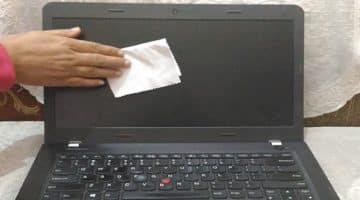
Cleaning a laptop screen seems to be a simple task but doing it in the wrong way can damage it beyond repair. Whatever … [Read more...]
How to Install Fonts in Windows 10

Windows 10 comes with a number of pre-installed fonts but yet you need to install fonts to meet your specific text or print … [Read more...]
How to Setup Multiple Monitors in Windows 10

A multiple-monitor setup consists of a single desktop or a laptop that displays the contents on multiple monitors connected … [Read more...]
- « Previous Page
- 1
- …
- 139
- 140
- 141
- 142
- 143
- …
- 159
- Next Page »